Cathe: Simulation from Template
Overview
The CNS CaThe module comes with a number of pre-defined simulation templates. The templates can be used as useful starting points to create your own simulations. This tutorial explains how a new simulation can be created using a simulation template.
Creating the simulation
As described in the tutorial ‘Performing a simulation from scratch’, navigate to the ‘Simulations’ page and click on the ‘New simulation’ button to create a simulation.
In the ‘New simulation’ window which opens:
- In the ‘Simulation name’ field, enter the name that you would like to use for the simulation (e.g. ‘PETN Template’).
- From the ‘Use simulation template’ dropdown menu, select the template that you wish to use (e.g. ‘PETN’).
- Click on the ‘Create’ button.
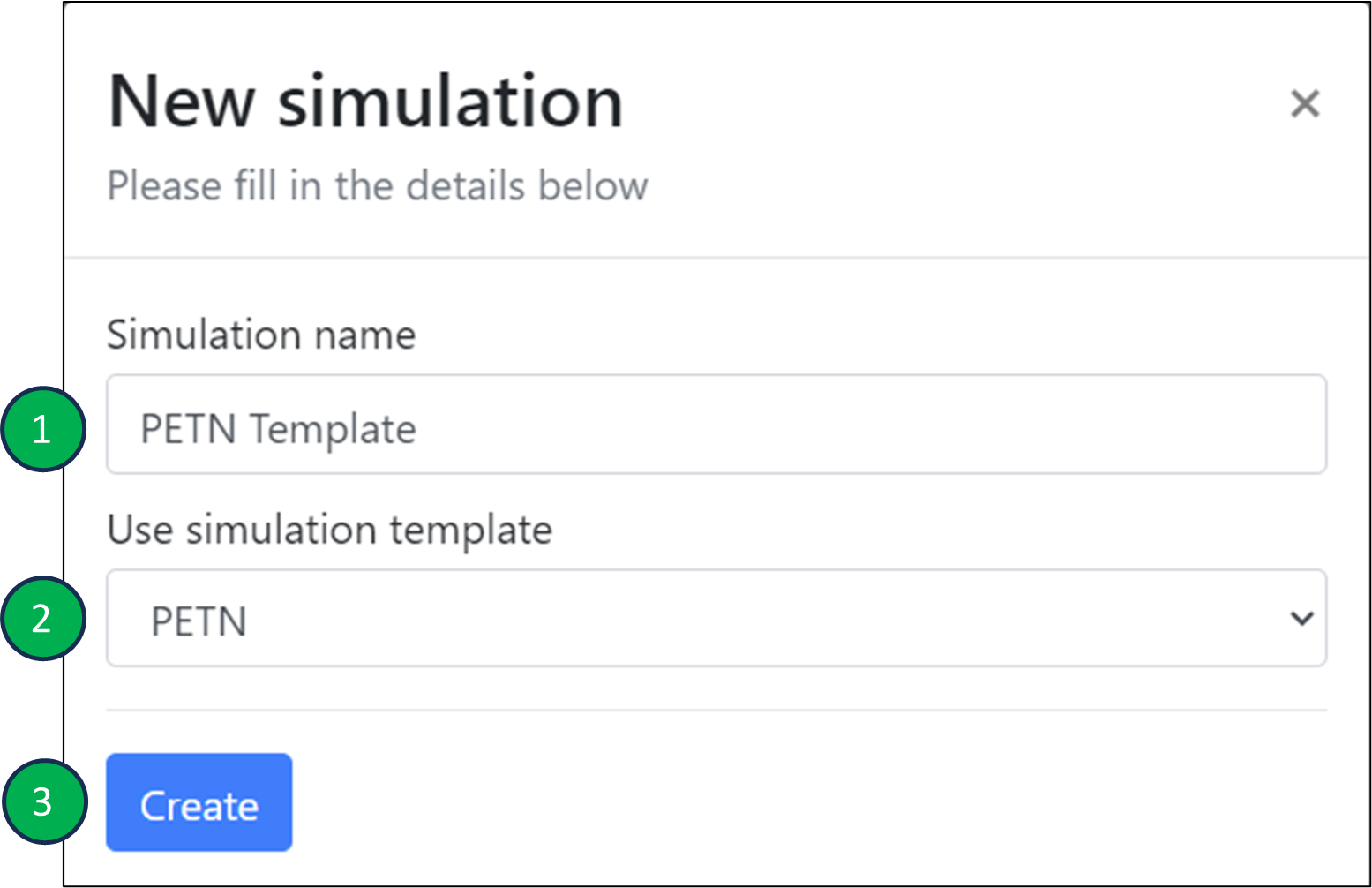
Create simulation window.
The newly created simulation will now appear within your folder. As usual, clicking on the simulation name will take you to the ‘Settings’ page for the simulation where pre-set template settings parameters may be viewed or edited. The procedure to edit parameters, run the simulation and visualise the results remains otherwise unchanged.
On this page

We’d be happy to help. Get in touch today.

© 2026 Cambridge Advanced Simulations. All Rights Reserved. Privacy Policy. Terms of Use.
COMPANY
Corporate Name:
Cambridge Advanced Simulations S.A.
Legal Form: Single Member S.A.
REGISTRATION
GEMI No: 188724401000
Athens